
API keys — creation, transport and limits
The key is the only credential for a third party — 40 hex characters shown once and stored as a hash. It has a name, a company, an optional expiry and a per-minute limit. Send it in a header; rotate by creating a new one and deleting the old.
Last updated: 2026-10-09
On this page
No session tokens
A third party has exactly one credential: the API key. No Sanctum tokens, no OAuth — and whatever needs an employee session (the two Dynamics print steps) is not callable from a server.
Creating a key
Settings → Integration → API keys → Add key:
| Field | Label | Rule |
|---|---|---|
name |
Client name | required — “SAP — Finance” |
company_id |
Company | required — the company this key writes into; a system serving two companies gets two keys |
expires_at |
Expiry (optional) | empty = never expires; a past date is rejected |
rate_limit_per_minute |
Requests / minute | 1–100000, default 60 |
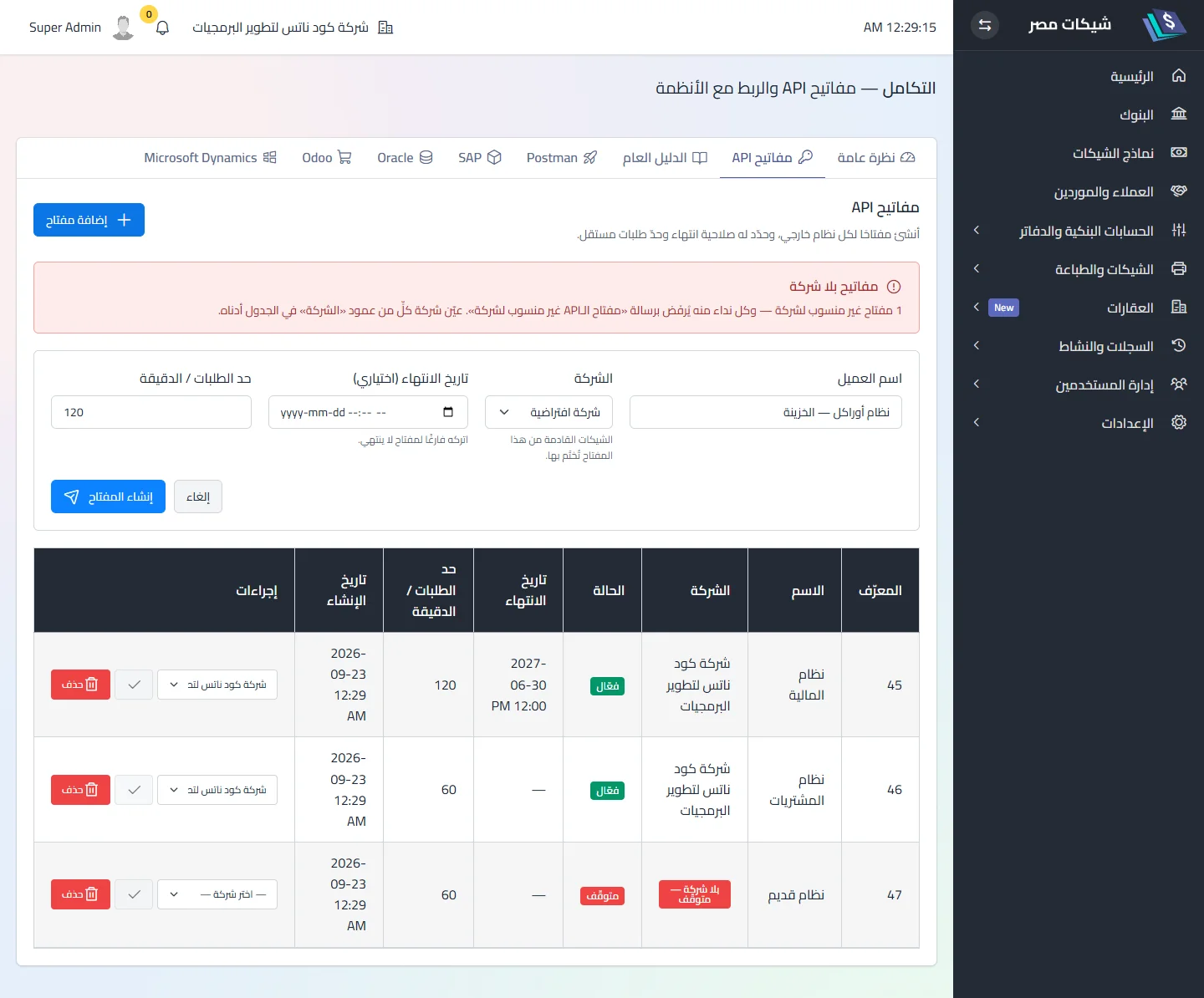
After saving, the key is shown once: “Copy the key now — it won’t be shown again.” Only its SHA-256 hash is stored; there is no retrieval. The key is 40 hex characters (160 random bits).
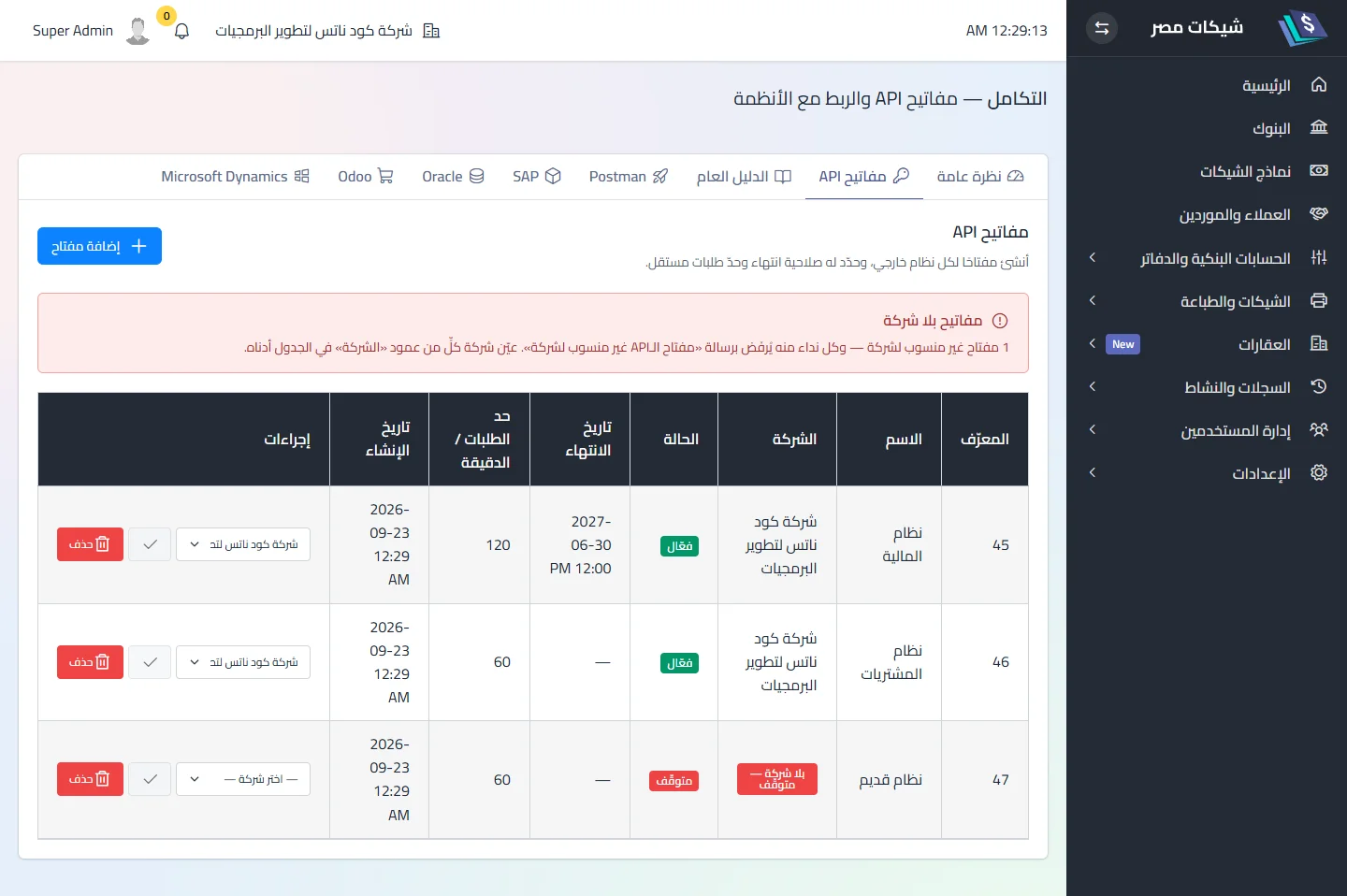
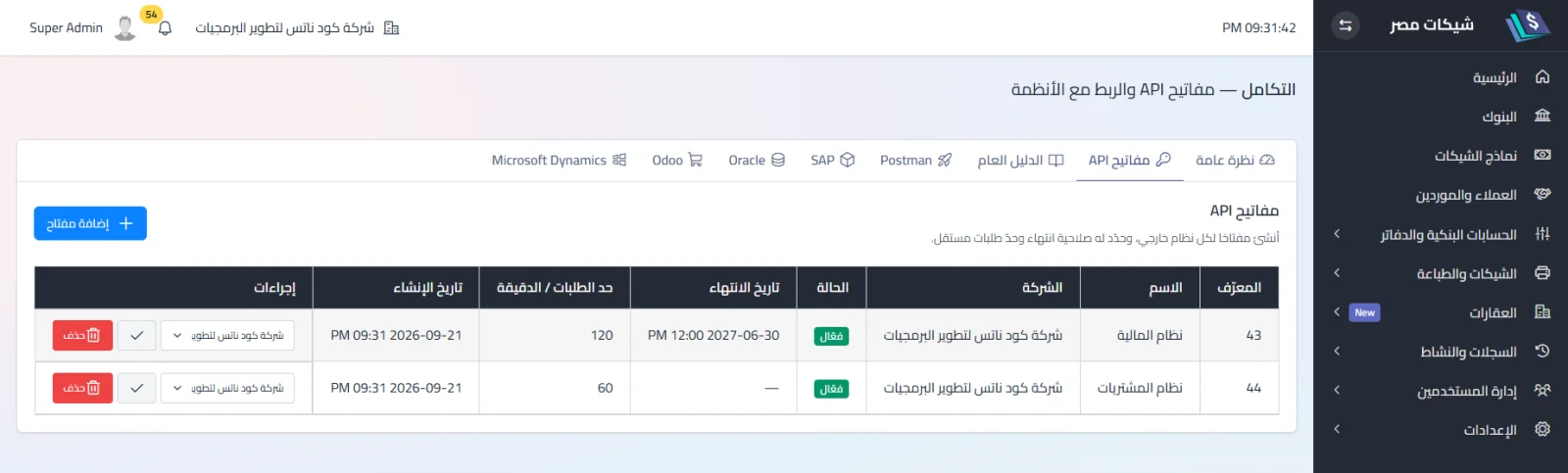
Columns: ID · Name · Company · Status · Expiry · Requests / minute · Created · Actions.
The Status column reports the effective state, not the key's own flag:
| Badge | When |
|---|---|
| Active | the key is enabled and its company is active and not deleted — the only state that works |
| Stopped | the key is enabled but its company doesn't accept writes: no company · company disabled · company in the recycle bin |
| Inactive | the key itself is disabled |
| Expired | past its expiry date |
The Company column gives the reason: a key with no company carries a No company — stopped badge and a banner with the count; a key stopped because of its company shows the company name with Company disabled or deleted — stopped; and a company in the recycle bin is shown marked (in the recycle bin).
Assigning or moving a key's company from the picker in its row: when its current company isn't an option (none · disabled · in the bin), the picker starts on a non-selectable “— choose a company —”, and the ✓ button stays disabled until the choice differs from the current one. The confirmation names the new company and states that previously stamped cheques keep their company, the old audit rows keep theirs, and the change applies going forward only.
A key follows its company's state
A key stops by itself when its company is disabled or deleted, and comes back automatically when the company is re-enabled or restored — nothing is written to the key itself:
- External-path and Dynamics calls are refused with 422 “the key's company is disabled or deleted”, and completing a Dynamics draft is refused too.
- A key with no company is refused with 422 “the API key is not assigned to a company” until one is assigned from this screen.
- Assigning a key to a disabled or deleted company is refused with “choose an active company” — the list only offers active, non-deleted companies.
Force-deleting a company that still has keys is refused with a message that names the way out: move its keys to another company or delete them first. (Recycle bin → Companies → force delete.)
Transport
Three forms, in precedence order — use the first:
| # | Form | Note |
|---|---|---|
| 1 | Header X-API-KEY: <key> |
use this |
| 2 | ?api_key=<key> in the URL |
leaks into server logs and Referer — avoid |
| 3 | secret field in the body |
redacted from the audit log, but still transmitted |
Rejection ladder
The first matching condition ends the request:
| # | Condition | Status | Body |
|---|---|---|---|
| 1 | Integrations disabled | 503 | {"error":"Integrations are currently disabled"} |
| 2 | No key | 401 | {"error":"Unauthorized"} |
| 3 | Key unknown or inactive | 401 | same text — deliberately indistinguishable |
| 4 | Key expired | 403 | {"error":"API key expired"} |
| 5 | Over the limit | 429 | {"error":"Too many requests","retry_after_seconds":N} |
Rate limiting
A fixed 60-second window per key (not per IP). With a limit of 60, requests 1–60 pass and 61 is the first rejected; retry_after_seconds says when to retry. The limit applies after authentication — a wrong key is not rate-limited (see Security).
Rotation and deletion
There is no “revoke” button: deleting a key is final (“systems using it will no longer be able to connect”). Rotation = create a new key → swap it in the external system → delete the old one. Automatic expiry via expires_at. Deleting a key keeps its audit rows, unattributed.
Key scope
A key opens every endpoint (no partial scopes) inside its company: every cheque created with it is stamped with the key’s company; company_id in the payload is optional — if sent and different ⟹ 422 naming both companies. A reference from another company (bank_account_id · cheque_book_id · cheque_leaf_id · partner_id) ⟹ 422. A key without a company ⟹ an explicit 422 until an administrator assigns one. See Security.
Related
Did this page answer your question?
Thanks — your feedback helps us improve the guide.
Couldn't send — please try again shortly.