
Connecting Oracle
E-Business Suite, Fusion ERP Cloud and NetSuite all reach the same endpoint — REST to direct cheque creation with an API key. Via Integration Cloud, PL/SQL with APEX_WEB_SERVICE, or SuiteScript — and the field the short examples forget is bank_name.
Last updated: 2026-09-23
On this page
Principle
There is no Oracle-specific code in the app: any Oracle product sends REST to POST /api/cheque-logs (= Create a cheque directly) with the X-API-KEY header. The row is created confirmed, and bank_name is required.
Oracle Integration Cloud (OIC)
- A REST Adapter Connection to
APP_URL/api/cheque-logs, security API Key as theX-API-KEYheader. - Bind the connection to the payment confirmation event in Fusion.
- Map the fields as in the table below.
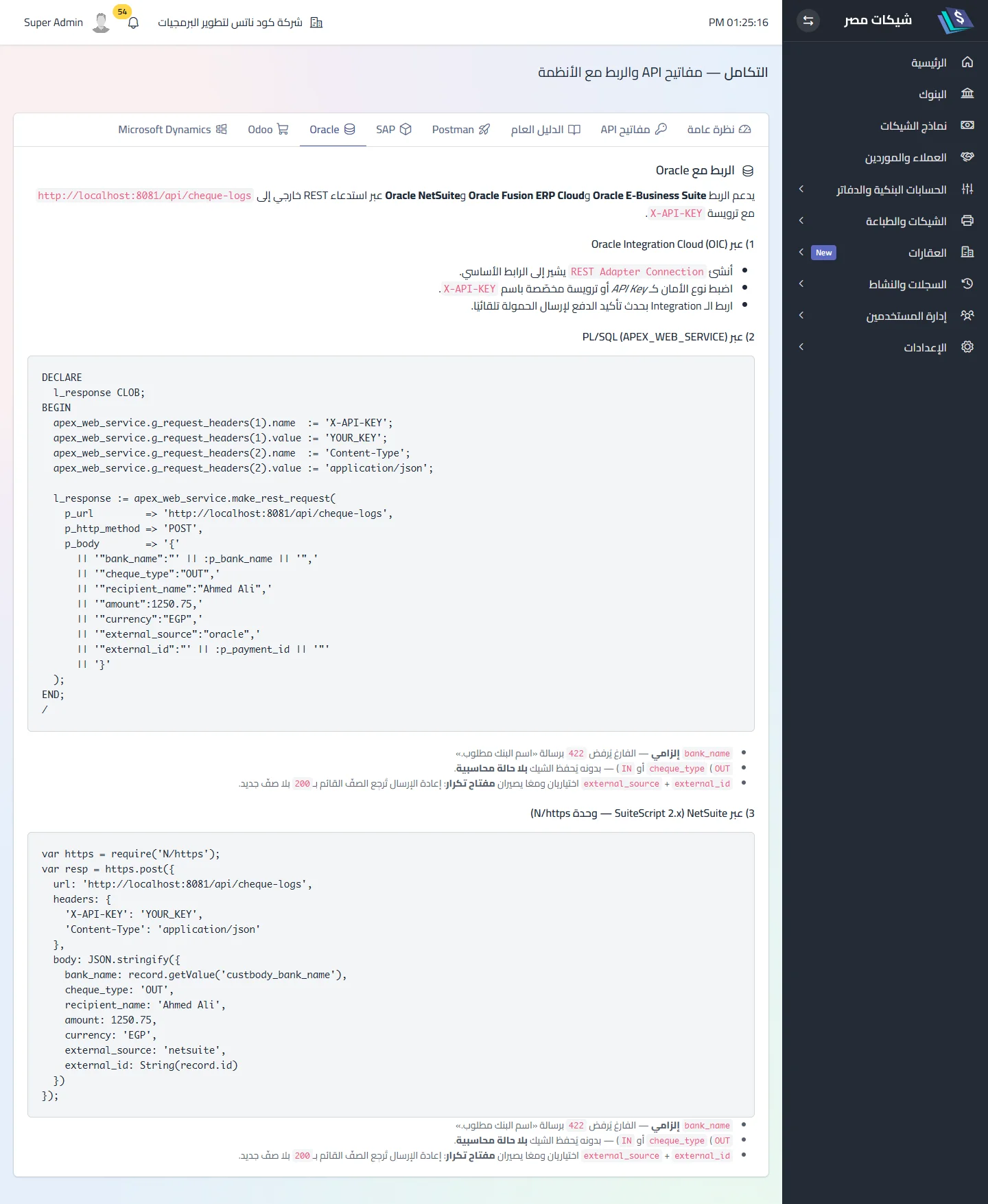
PL/SQL (APEX_WEB_SERVICE) — EBS
DECLARE
  l_resp CLOB;
BEGIN
  apex_web_service.g_request_headers(1).name  := 'X-API-KEY';
  apex_web_service.g_request_headers(1).value := :api_key;
  apex_web_service.g_request_headers(2).name  := 'Content-Type';
  apex_web_service.g_request_headers(2).value := 'application/json';
  l_resp := apex_web_service.make_rest_request(
    p_url         => :base_url || '/api/cheque-logs',
    p_http_method => 'POST',
    p_body        => '{"bank_name":"بنك مصر","cheque_type":"OUT","recipient_name":"شركة النيل للتوريدات",'
                  || '"amount":1250.75,"currency":"EGP","cheque_date":"2026-10-15","cheque_number":"100200",'
                  || '"external_source":"oracle-ebs","external_id":"AP-778812"}');
END;
NetSuite (SuiteScript 2.x — N/https)
const res = https.post({
  url: baseUrl + '/api/cheque-logs',
  headers: { 'X-API-KEY': apiKey, 'Content-Type': 'application/json', 'Accept': 'application/json' },
  body: JSON.stringify({
    bank_name: 'بنك مصر', cheque_type: 'OUT', recipient_name: payee, amount: amount, currency: 'EGP',
    cheque_date: date, cheque_number: checkNumber, external_source: 'netsuite', external_id: 'VP-' + internalId
  })
});
Field map
| Oracle | Cheque | Note |
|---|---|---|
| Supplier name | recipient_name |
|
| Payment amount | amount |
|
| Currency code | currency |
|
| Check number / Payment number | cheque_number |
|
| Payment date | cheque_date |
YYYY-MM-DD |
| Bank account → bank name | bank_name |
required — exactly as /api/banks returns it |
| Payment ID | external_id |
optional idempotency key |
Common problems
- 422 “bank name required” — a payload without
bank_name(the short in-app examples carry it since 1.8.0). - Number already used — a payment batch reprocessed;
external_idturns it into200 reused. - Timeout from OIC — the server firewall does not accept Oracle Cloud’s outbound addresses.
Related
Did this page answer your question?
Thanks — your feedback helps us improve the guide.
Couldn't send — please try again shortly.