
Quick start & Postman collection
From a key to a cheque in eight steps, and a ready Postman collection downloaded from the Integration screen with two variables. The direct path in four calls, and the full Dynamics flow.
Last updated: 2026-09-28
On this page
Postman collection
Settings → Integration → Postman tab → download: a zip (collection v2.1 + environment file + README.md) — 4 folders and 11 requests, authenticated by the {{api_key}} variable at {{base_url}}. No secrets inside. It is built from the code at download time, so it always matches your release.
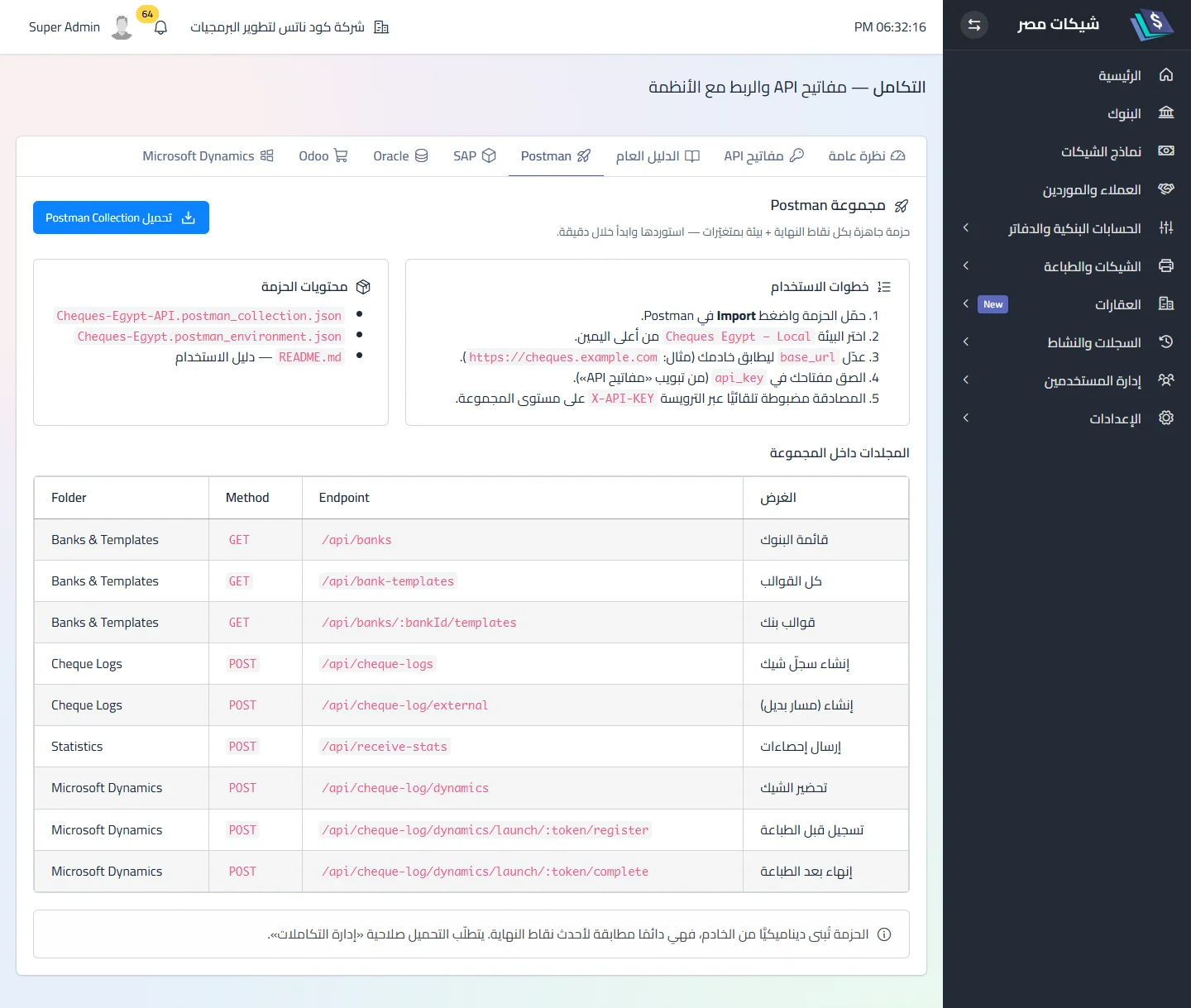
After importing into Postman: set base_url to the installation’s address and api_key to your key. No OpenAPI/Swagger in the current release.
The General guide tab shows, inside the app, a summary of this section for those without the link:
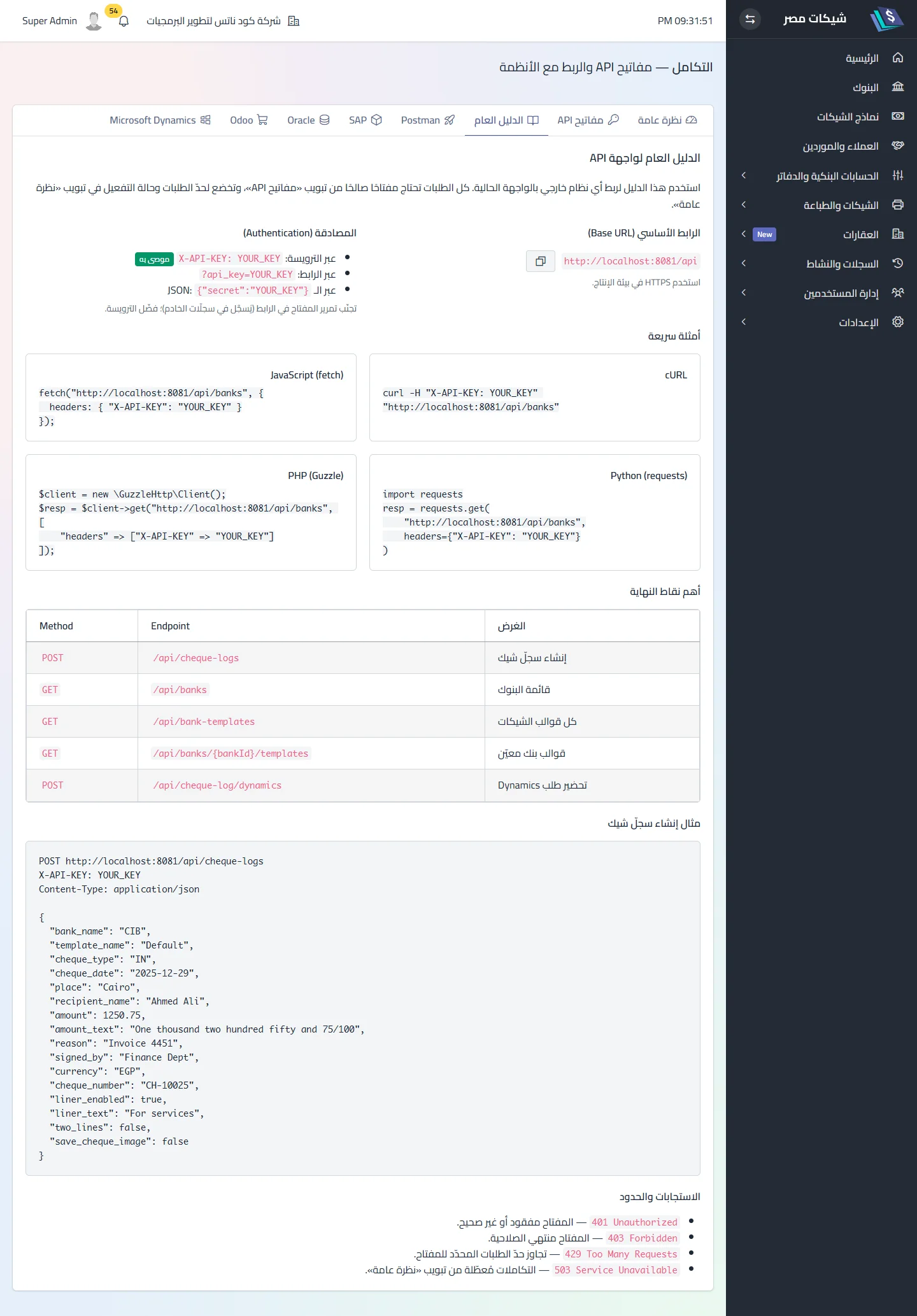
The full scenario (Dynamics)
| # | Step | How |
|---|---|---|
| 1 | Create the key | API keys tab → Add key (name and company) → copy it immediately |
| 2 | Enable integrations | Overview tab → master switch |
| 3 | Discover banks | GET /api/banks then GET /api/banks/{id}/templates → template_id |
| 4 | Prepare | POST /api/cheque-log/dynamics → keep launch_token and launch_url |
| 5 | Open the link | a logged-in employee opens launch_url — the screen loads the draft |
| 6 | from the normal print screen | |
| 7 | Complete | the screen calls …/register before printing (the row is written here) then …/complete after it (confirmed and the callback sent here) |
| 8 | Verify | the cheque in Cheque log · calls in “API log” · callback result in the completion response under dynamics_callback |
The direct path (no Dynamics)
Steps 1→3 then POST /api/cheque-log/external — see Create a cheque directly. No preview, no printing, no image (unless save_cheque_image: true with image_base64).
A complete request sample
# 1) banks
curl -s -H "X-API-KEY: KEY" -H "Accept: application/json" "APP_URL/api/banks"
# 2) templates of bank 2
curl -s -H "X-API-KEY: KEY" -H "Accept: application/json" "APP_URL/api/banks/2/templates"
# 3) direct create
curl -s -X POST "APP_URL/api/cheque-log/external" \
  -H "X-API-KEY: KEY" -H "Content-Type: application/json" -H "Accept: application/json" \
  -d '{"bank_name":"بنك مصر","template_name":"بنك مصر - نموذج 1","cheque_type":"OUT",
       "recipient_name":"شركة النيل للتوريدات","amount":1250.50,"currency":"EGP",
       "cheque_date":"2026-10-15","cheque_number":"100200","reference_number":"PV-1001"}'
Pre-production checklist
- A key with an expiry and a suitable rate limit, kept in your system’s secret store.
-
X-API-KEYheader, never the URL. - One key per company — and never send references from another company.
-
template_id, not the name. - Always
cheque_number, and handle the 422 “already used”. - Dynamics: always
external_id, callback over HTTPS. - Review the “API log” weekly.
Related
Did this page answer your question?
Thanks — your feedback helps us improve the guide.
Couldn't send — please try again shortly.